Cortellis Regulatory Intelligence MCP Server
Prerequisites
Before you begin, ensure you have:
- A Clarivate account with an active Cortellis Regulatory Intelligence (CRI) subscription.
- Without a valid subscription, the CRI tools will authenticate successfully but will return an error indicating that a valid CRI subscription is required.
- Access to Microsoft 365 Copilot Chat with the MCP CRI federated connector available in your organization (enabled by your Copilot administrator).
Setup Instructions
Follow these steps to connect the MCP CRI connector and start using it in Microsoft 365 Copilot Chat:
- Open Microsoft 365 Copilot Chat and sign in with your work account.
- Select the ellipsis (...) menu, and then select Settings.
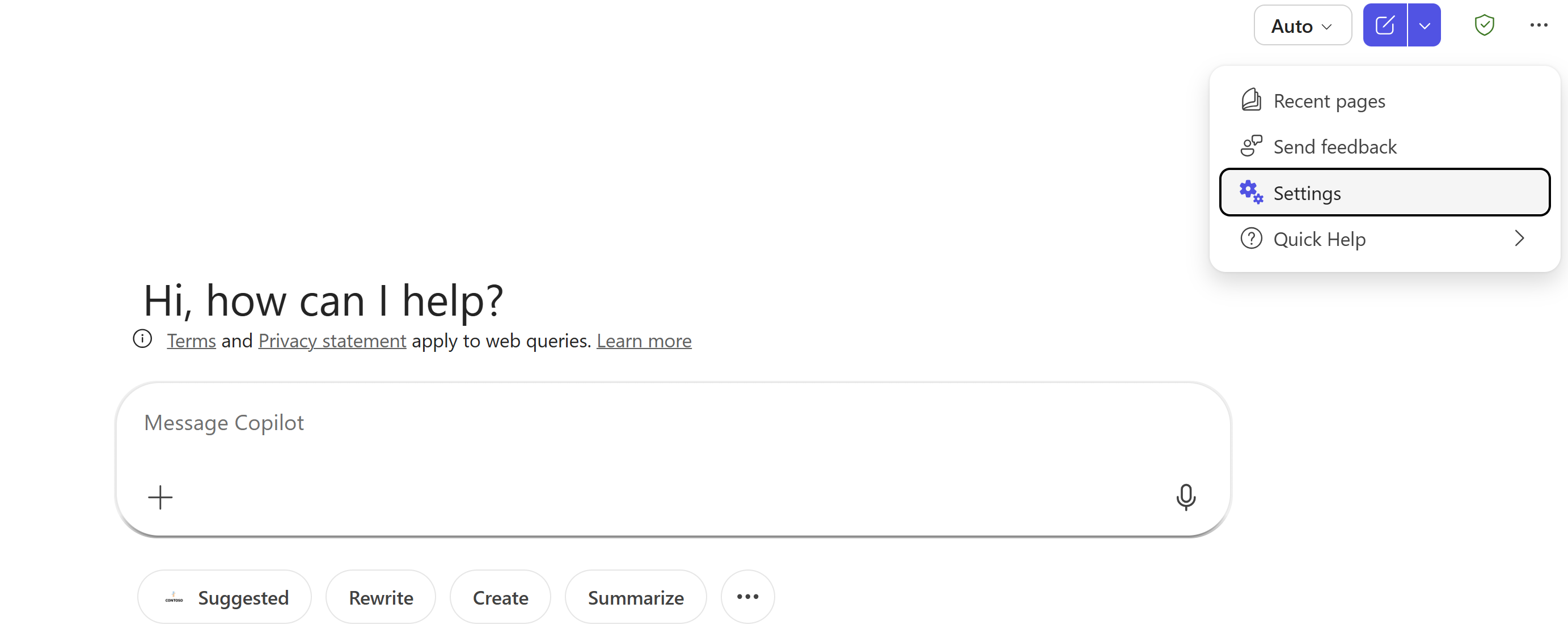
- In the settings dialog, select Sources in the left pane.
- Find the MCP CRI data source, select Connect, and complete authentication by signing in with an account that has an active Cortellis Regulatory Intelligence subscription.
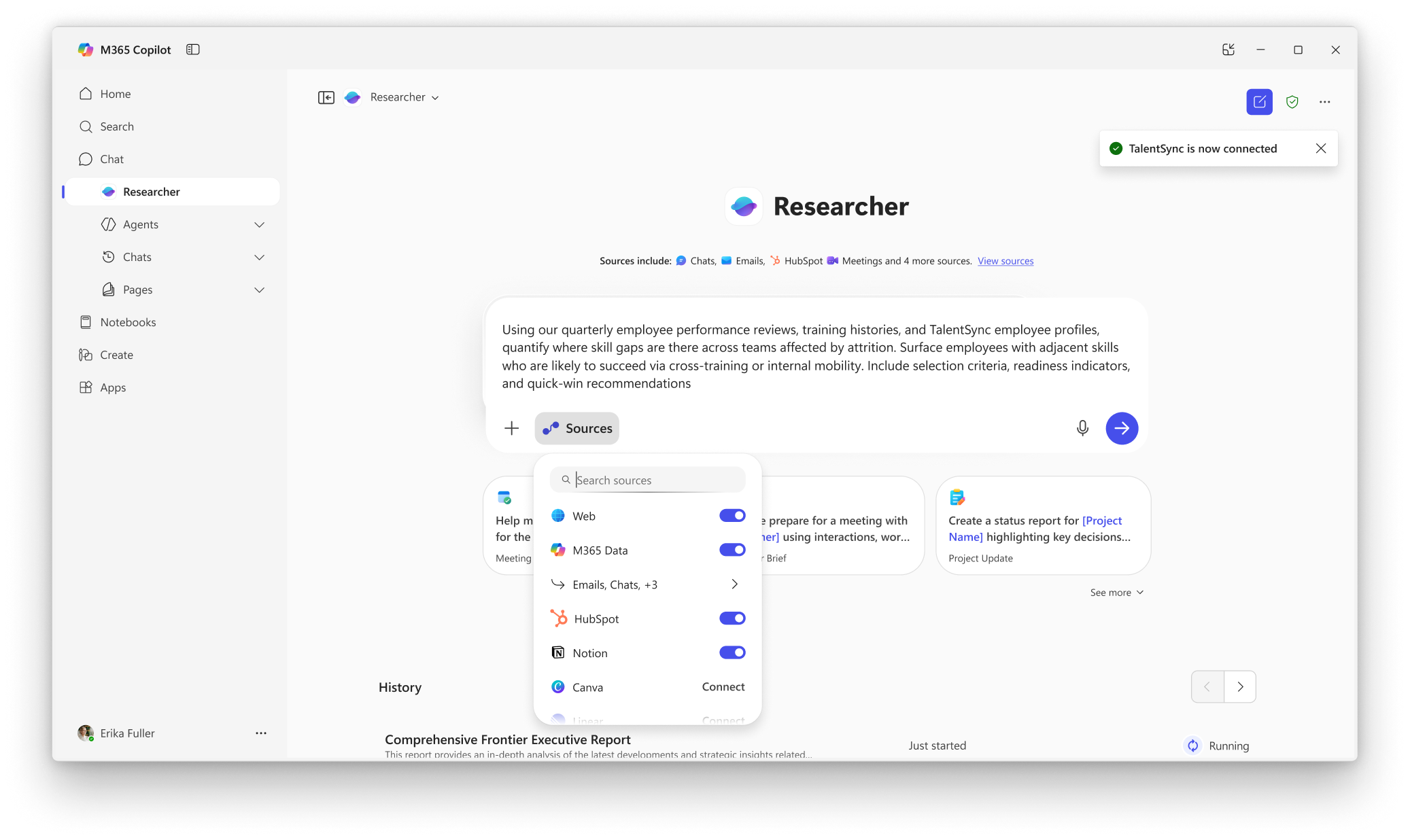
- Enter your prompt directly in Copilot Chat, for example: "Summarize FDA labeling requirements for oncology products."
Note: No data is indexed into Microsoft 365. Responses are fetched dynamically from the data source via MCP.
Available Tools
- Cortellis_Regulatory_Intelligence_Agent: An intelligent agent that searches Cortellis Regulatory Intelligence and summarizes regulatory requirements across countries and organizations.
Troubleshooting
For support, please contact [email protected].
Privacy
See Clarivate's privacy notices and policies.
Terms of Service
See Clarivate's terms of service.
Building your own agent instead? See the Microsoft Copilot Studio setup guide.